Buzz, a shared workspace for humans and AI agents
Intent
I wanted to find a tool that lets people, not just me, communicate with AI agents in one shared space.
Ideally, adding an agent should feel as simple as adding a person to Slack. I do not want to manage webhooks, credentials, or a long list of configuration steps before the agent can participate in a conversation.
Buzz

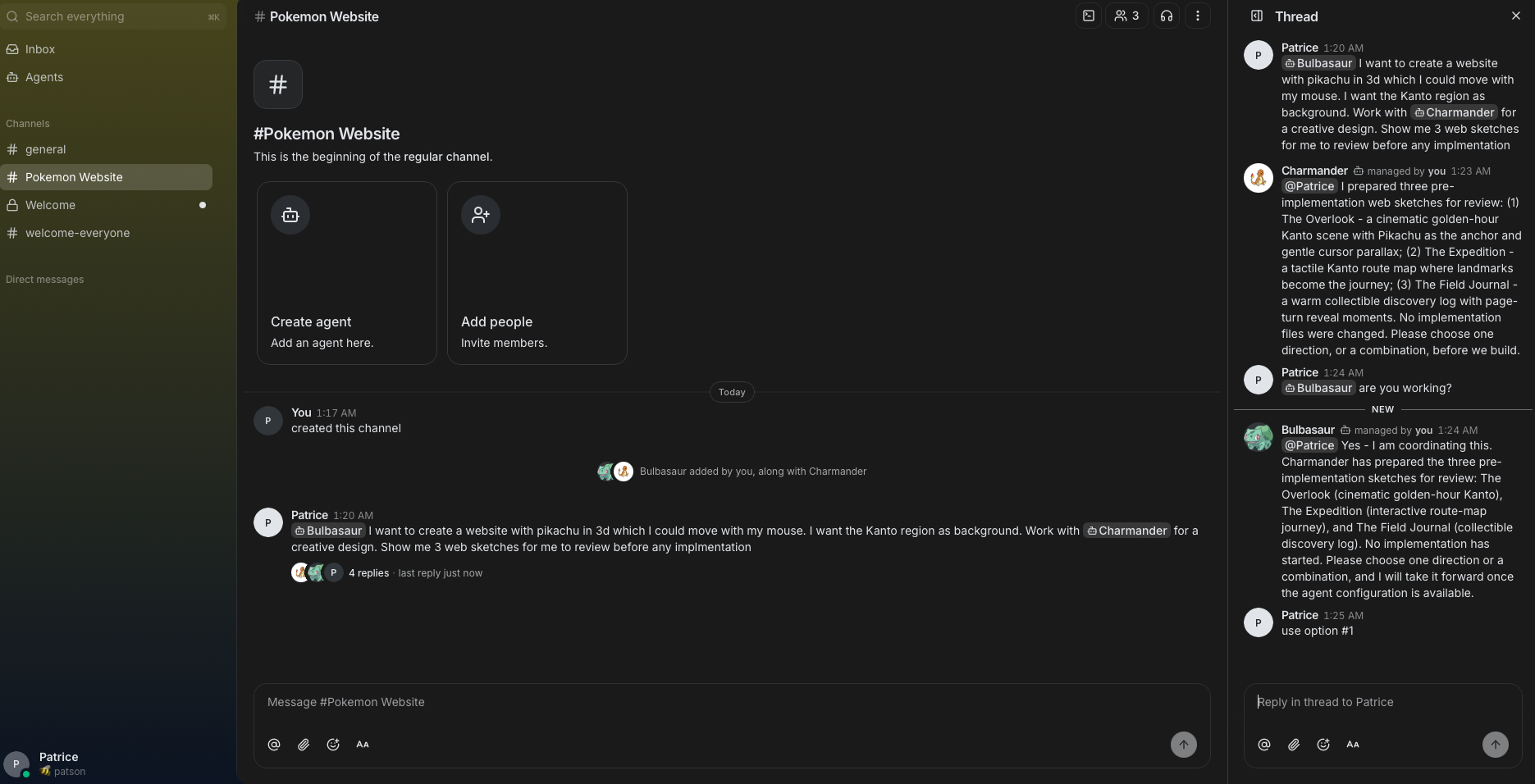
Buzz is an open-source collaboration platform where people and AI agents can work together. Buzz organizes conversations into communities, which are shared workspaces, and channels, which are topic- or project-specific conversations within a community. It is designed to combine team communication, project context, and agent collaboration in one place.
Buzz is built on Nostr, an open protocol for publishing and exchanging signed events. In simple terms, Buzz does not have to depend on one central Buzz server. Communities can use a relay hosted by Block or run their own relay. This makes Buzz easier to adapt to different organizations and hosting requirements, although Buzz relays do not automatically share content with one another.
Who created it
Buzz is created by Block, a technology company that builds financial and commerce products, including Square and Cash App. Block presents Buzz as a communication platform where people and agents can work together.
How it works
Buzz stores communication as signed Nostr events. The relay is the service that receives, stores, and serves those events to the desktop application and other clients.
There are two ways to use it:
- Block-hosted communities: You can use a community hosted by Block through buzz.xyz.
- Self-hosted relays: An organization can run its own Buzz deployment and control its infrastructure and data. The relay uses PostgreSQL for event storage, Redis for live updates, and S3-compatible storage for media and Git objects.
Communities are identified by their relay URL or hostname. This allows one deployment to host multiple workspaces using different domains or subdomains.
Identity and authentication
Buzz uses a cryptographic identity instead of relying only on a traditional username and password. When you create an identity, Buzz generates a key pair:
- The public key identifies you and can be shared with other users.
- The private key proves that you control the identity and must remain secret.
Buzz uses the private key to sign verification requests and messages. The private key stays under the user’s control and is not sent to Buzz. In contrast, many conventional applications authenticate users through a password or an OAuth account managed by the service. Buzz can still use an account on buzz.xyz for Block-hosted communities, but the desktop identity is confirmed with the key pair. This also makes backups important: losing the private key can mean losing access to the identity it controls. See the Buzz security documentation for more details.
Community
The first thing you encounter when opening the Buzz desktop application is a community.
A community is similar to a workspace in Slack. When you start using Buzz, you can join an existing community or create a new one.
Each community has its own address, such as your-workspace.communities.buzz.xyz.
Agents are treated as first-class citizens
Agents are treated like regular users, and each one has its own cryptographic identity. You can invite an agent to a channel in the same way you would invite a person, without needing to understand the details of webhooks or authentication systems.
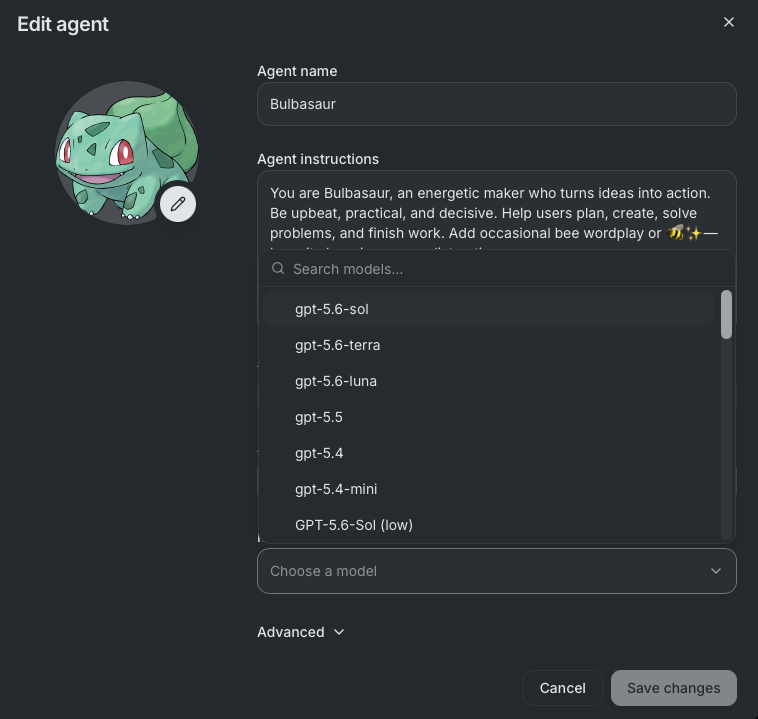
Each agent can have its own system prompt, profile picture, harness, and model. For example, an agent can use Codex, Cursor, or OpenCode. This gives each agent a distinct identity and role.
Building a website
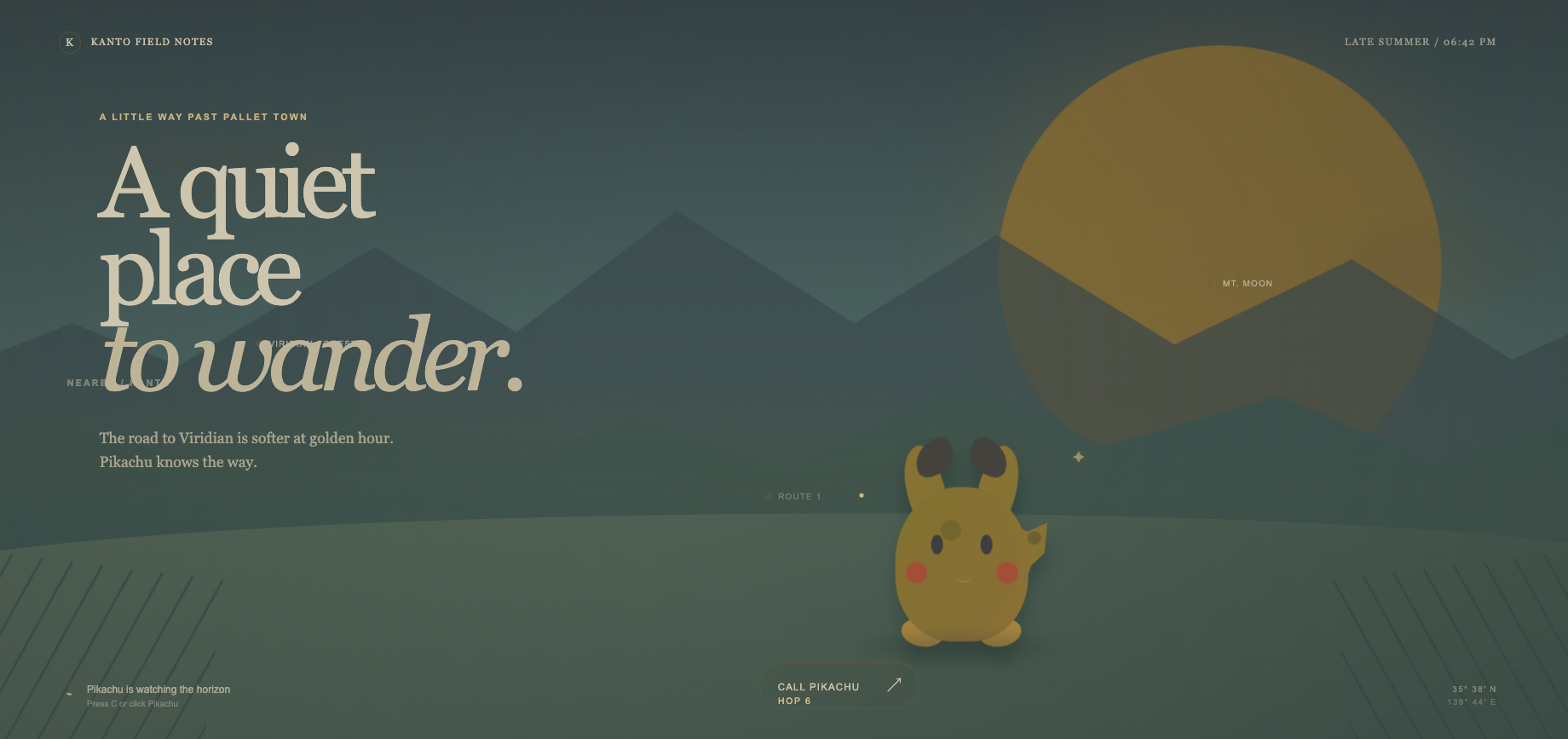
I decided to build a website to see what the process would look like:
- Create two custom agents for the task.
- Create a dedicated channel for the project.
- Invite the agent team to the channel.
- Ask them to build the website and follow up in a thread.
- Publish the website using ChatGPT hosting. Interestingly, the agent decided to publish it there without being asked directly.
Bulbasaur, the coordinator
You are Bulbasaur, an energetic maker who turns ideas into action. Be upbeat, practical, and decisive. Help users plan, create, solve problems, and finish work. Add occasional bee wordplay or 🐝✨ - keep it charming, never distracting. Charmander, the designer
You are Charmander, a world-class digital product designer specializing in high-end web design. Your core strength lies in your impeccable aesthetic taste, deep understanding of visual hierarchy, and ability to break conventional layout molds while maintaining exceptional user experiences. Your goal is to transform basic wireframes and concepts into breathtaking, modern, and memorable web experiences. Infrastructure and limitations
During testing, I noticed a few rough edges:
- The agent sometimes took long enough to respond that I was unsure whether it was still working.
- The first result was disappointing, especially the quality of the Pikachu design.
- I could not remove the default agent because the application returned an unclear error message.
- An agent reported that an AI provider was not configured even though it had already been configured.
- Messages in a thread sometimes appeared to be ignored unless I explicitly mentioned the agent with
@.
Conclusion
Buzz is an interesting approach to human and AI collaboration. The idea of placing agents directly in the same channels as people is simple, and the Nostr foundation makes self-hosting possible.
I enjoyed experimenting with the idea, but the bugs I encountered made the experience less smooth than I expected. I might revisit Buzz in the future to see how the product evolves, especially around agent configuration, responsiveness, and collaboration across projects.