AWS AgentCore
Intent
I wanted to get more familiar with building agents on AWS, so I created a hands-on AgentCore lab. The repository contains the setup, code, and commands. This post gives an overview of the concepts and the result of each stage.
Amazon Bedrock
Amazon Bedrock provides access to foundation models from different providers through a managed AWS service. It also includes services for building AI applications, such as Knowledge Bases, Agents, Guardrails, and model evaluation.
For this lab, I used the relatively inexpensive us.amazon.nova-micro-v1:0 model and focused on the services around the model: Amazon Bedrock AgentCore.
Amazon Bedrock AgentCore
AgentCore is a modular platform for running, connecting, and operating agents. The main building blocks are:
- Runtime runs and scales the agent code.
- Gateway connects the agent to tools, APIs, and other services.
- Memory provides context within and across conversations.
- Identity manages authentication and access to external services.
- Observability tracks requests, tool calls, latency, and failures.
Together, these services make it possible to deploy a complete, enterprise-grade agentic architecture without putting every responsibility inside the model.
Runtime
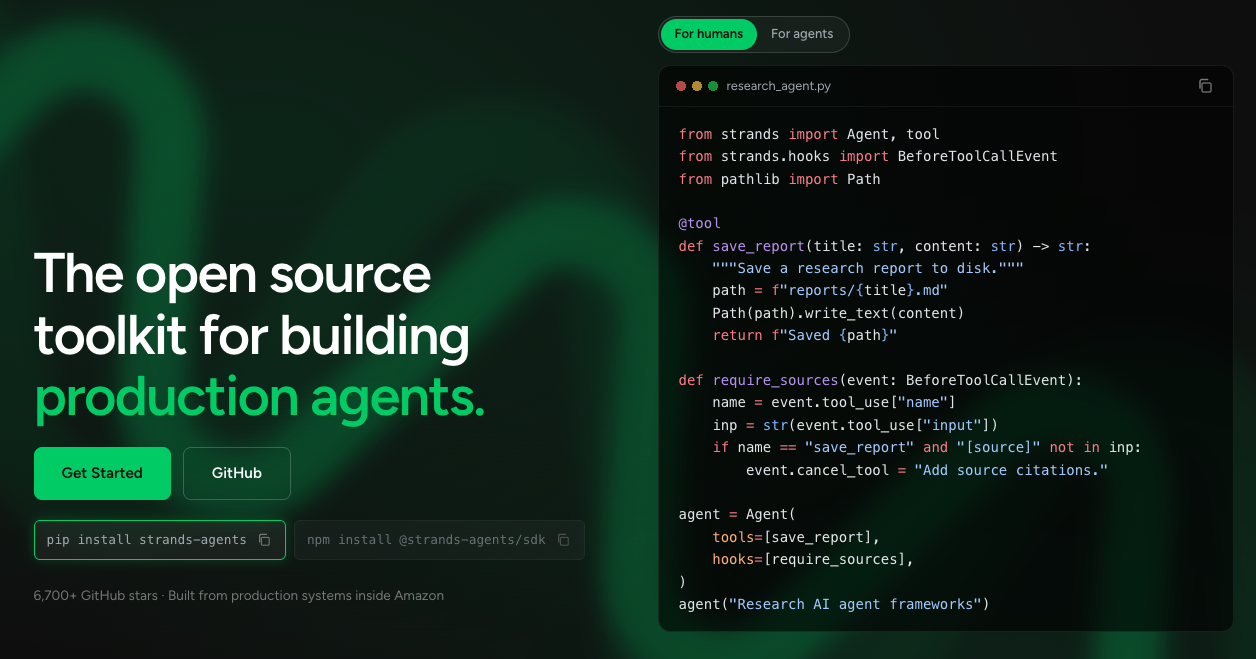
AgentCore Runtime hosts the agent code and connects it to a Bedrock model. A toolkit such as Strands Agents can be used to build the agent itself.
Gateway
Gateway provides a controlled boundary between an agent and the tools or data it needs to use. It can connect to targets such as MCP servers, Lambda functions, HTTP APIs, and other services.
Memory
Memory can provide short-term context for the current conversation and long-term context for future conversations. Long-term strategies can extract facts, summaries, preferences, or details about previous tasks.
Identity and Observability
Identity handles authentication and access to external services, including connections that use IAM, OAuth or API keys. Observability helps show what the agent did, how long it took, and where something failed.
In practice
The lab builds Atlas, a customer insights assistant, and adds capabilities in three stages:
flowchart LR
    User[Analyst] --> Runtime[AgentCore Runtime\nAtlas agent]
    Runtime --> Model[Amazon Bedrock\nNova Micro]
    Runtime --> Gateway[AgentCore Gateway\nAnalytics tool]
    Gateway --> Lambda[AWS Lambda\nCustomer metrics]
    Lambda --> Data[(Sample customer\ndata)]
    Runtime --> Memory[AgentCore Memory\nAnalyst preferences]
1. Start with Runtime
Atlas can answer general analytics questions, explain customer KPIs, suggest segmentation approaches, and write SQL examples. It cannot access the customer data yet, so it should not invent exact counts or spend figures.
2. Add Gateway
The Gateway exposes an analytics tool backed by an AWS Lambda target. The Lambda reads a sample customer dataset and returns exact counts, spend totals, averages, and breakdowns by country or segment.
The result is an agent that can answer company-specific questions with actual values, while keeping the data access and calculations outside the model.
3. Add authentication
I kept authentication simple for this lab and used IAM for both directions of the request. The call from my laptop to the AgentCore Runtime is the inbound path, while the call from the agent through Gateway to the Lambda function is the outbound path.
4. Add Memory
Semantic Memory extracts an analyst’s preferences, such as grouping reports by country, and makes them available in a later session. Gateway still provides the current customer metrics, while Memory provides continuity.
What I want to explore next
I want to learn more about Harness for managing agent execution and coordination, Policy for controlling allowed actions and tool calls, and Monitoring for understanding agent behaviour, latency, and failures.
I also want to become more familiar with inbound and outbound Gateway integrations, including OAuth providers such as Okta and Google and connectors for services such as Slack and Jira.
Conclusion
AgentCore feels well thought out. Its components complement each other without much overlap, which is not always the case with AWS services.
There was a lot to read, and I am still learning how the pieces fit together.
The fact that the Strands Agents toolkit is open source is another plus.